A Free PDF Merger for Windows That Works Offline
Searching for a free PDF merger returns a page of websites. They work, they are genuinely free, and every one of them asks you to upload the document first — which is fine for a restaurant menu and less fine for a contract, a medical letter or anything with a client's name on it.
There is a simpler option that most people never find, because the search results are dominated by services that need traffic to survive: install a small desktop application once and merge PDFs on your own machine, indefinitely, for nothing.
What uploading actually involves
Online mergers are not sinister, and the well-known ones publish sensible retention policies. But uploading is a real step with real consequences that people skip past:
- The document reaches a third party. Whatever the policy says, the file was transmitted, processed and stored somewhere for a period.
- Some tools are wrappers. A small site may pass your file to another vendor’s API, so the recipient is a company not named anywhere on the page.
- It may not be yours to upload. If the PDF belongs to a client, a patient or an employer, sending it to an unapproved processor can breach confidentiality obligations or company policy regardless of your own risk tolerance.
- Limits appear at the end. Free tiers cap file size or the number of merges per day, and you usually discover the cap after doing the work.
None of this matters for a holiday itinerary. All of it matters for the documents most people are actually merging at work.
The desktop alternative
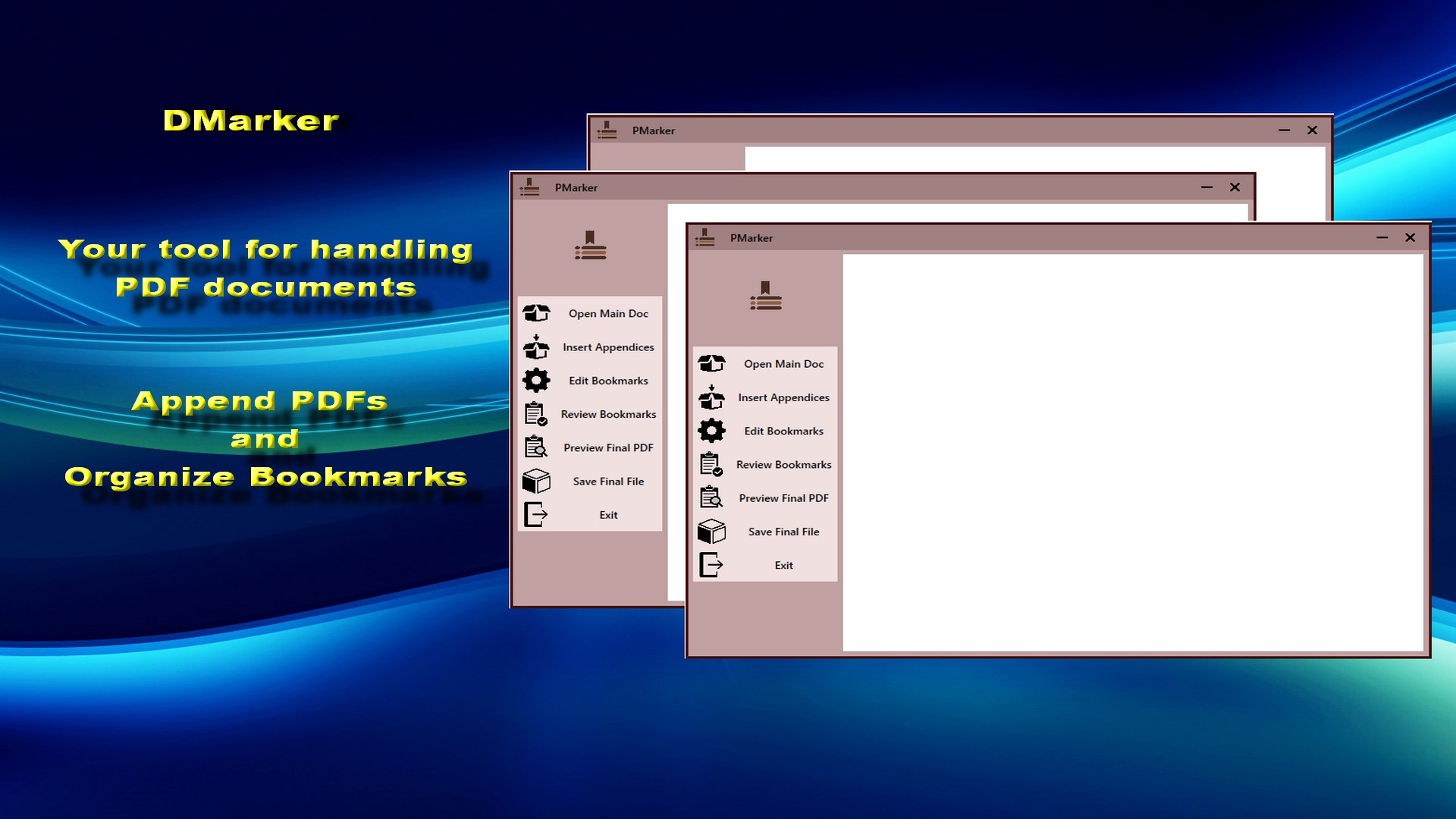
PMarker is a free Windows application from the Microsoft Store that merges PDFs locally. You open a main document, append others to it, and save the result as a new file. Nothing is uploaded, there is no account, and there are no daily limits because there is no server to protect.
The part that distinguishes it from a plain merger: each document you append becomes its own bookmark in the combined file, so the result has a navigation pane rather than being an undifferentiated stack of pages.
How to merge PDFs with it
The model is a main document that other documents are added to, rather than a flat pile of files — which matches how most real merges actually work.
-
Install PMarker from the Microsoft Store
It is free with no account and no trial period. Because it runs on your PC, the documents never leave the machine they are already on.
-
Rename your files in the order you want them
Prefix them 01, 02, 03 and give each a descriptive name. The filename becomes the bookmark entry in the merged document, so this is the fastest moment to get the naming right.
-
Open the document that comes first
Start with the main PDF — the report, the contract, the base document. Everything else is appended after it.
-
Append the other PDFs in order
Add each remaining document. Each one becomes its own bookmark, so the combined file has a navigation pane rather than being one flat block of pages.
-
Check the bookmark list before saving
Look at the entries and rename or delete any that do not read the way you want. This is quicker now than reopening the finished file later.
-
Save as a new PDF
The result is written as a new file, so the original documents are left untouched and you can redo the merge if something is wrong.
Name the files before you merge them. The filename is what becomes the bookmark
entry, so 03 Site Survey.pdf reads better in the finished document than
scan0034.pdf. Renaming in File Explorer first is faster than editing bookmarks
afterwards.
What free does and does not cover
Being straightforward about the boundary saves you a download: PMarker merges PDFs, creates a bookmark per appended document, lets you edit and delete those bookmarks, and saves a new file. That is the whole application, and it is free permanently rather than as a trial.
It does not split documents, delete or extract pages, or edit metadata. Those belong to PMarker Pro, a separate one-time purchase — the split is set out plainly in PMarker or PMarker Pro.
How it compares to the other free routes
| Option | Cost | Catch |
|---|---|---|
| Online merger websites | Free, often with a paid tier | Upload required; size or daily caps; bookmarks usually discarded |
| Print to PDF from a viewer | Built in | Re-renders the pages, discarding bookmarks, links and text quality |
| Microsoft Word | If you have Office | Reflows the document — it is not a merge, and the layout will change |
| PMarker | Free | Windows only; merging and bookmarks, not a full PDF editor |
Get PMarker
Merge PDFs on your own Windows PC, with a bookmark for each document. Free.
Get PMarker free on the Microsoft StoreFree · no account, no sign-up · Windows 10 & 11
Frequently asked questions
Is there a free PDF merger for Windows that does not require uploading?
Yes. PMarker is a free Windows application from the Microsoft Store that merges PDFs locally on your own PC. There is no upload, no account and no daily limit, and each document you append becomes its own bookmark in the combined file so the result stays navigable.
Are online PDF mergers safe to use?
For non-sensitive documents, generally yes — the well-known ones publish retention policies and are widely used. The considerations are that the file is transmitted to and stored by a third party, that some smaller sites pass documents to another vendor's API, and that a document belonging to a client, patient or employer may not be yours to upload regardless of your own comfort with the risk.
Can I merge PDFs on Windows without installing anything?
You can print several documents to a single PDF from some viewers, and Word will combine files if you insert them into a document. Both re-render or reflow the content, which discards bookmarks and links and can change the layout. For a true merge that preserves the document, a dedicated tool is needed — PMarker is free.
Do free PDF mergers have file size limits?
Online ones usually do, along with caps on merges per day, and the limit is typically discovered after you have done the work. A desktop application has no such caps because there is no server cost to control — the constraint is only your own PC.
Does PMarker keep bookmarks when merging?
It creates a bookmark for each document you append, so the merged file has a navigation entry per source document. This is the main practical difference from simple mergers, which copy pages and leave the combined file with an empty navigation pane.
What is the difference between PMarker and PMarker Pro?
PMarker is free and does merging with bookmarks, plus editing and deleting those bookmarks. PMarker Pro is a separate one-time purchase that adds splitting a PDF by pages, bookmarks or content, deleting and extracting pages, editing metadata, and extracting text and images. If you only need to combine documents, the free app is the whole answer.